 Streymalvi Education
Coming soon
01 Learn by Doing
Learn by Doing
Tutorials and exercises run inside the real editors. A guided step only completes when you have actually done it.
- 7 guided tutorials and 73 page tutorials
- 23 Academy exercises in guided, challenge and exam modes
- Objectives, steps and hints beside the work, not over it
- Faroese, Danish and English
Explore Learn by Doing
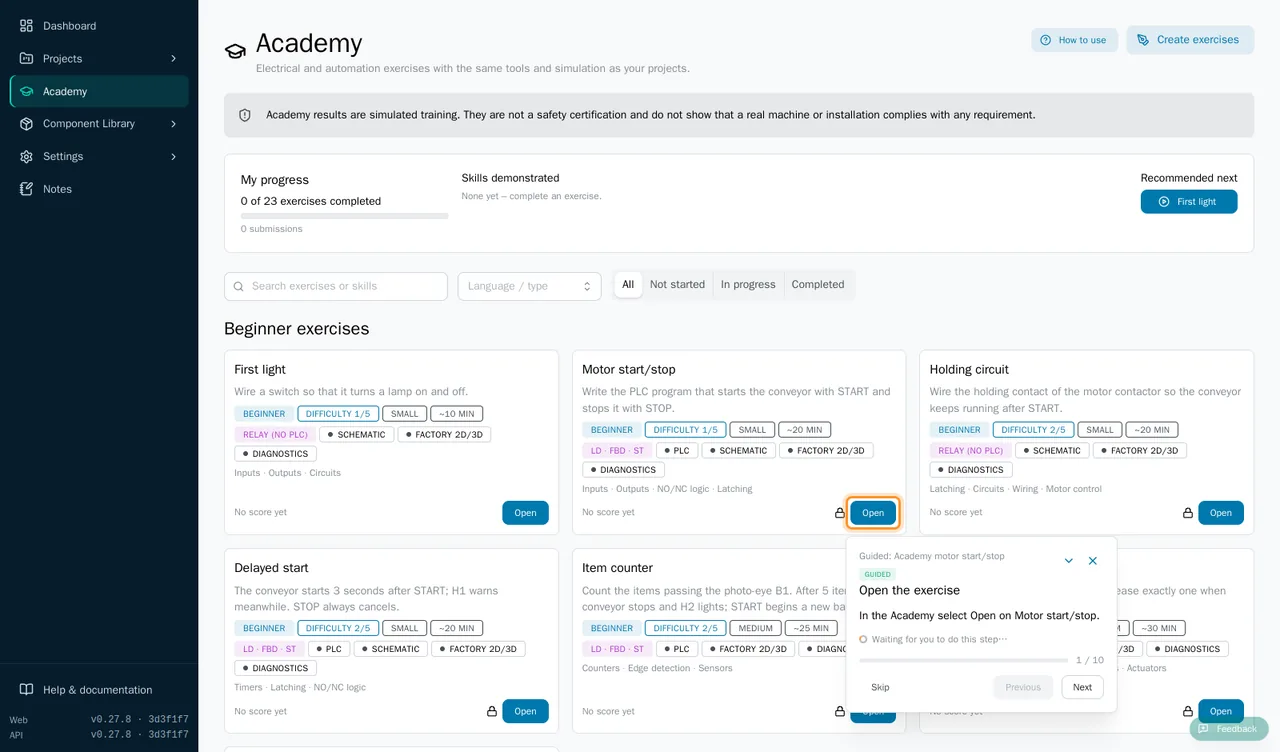
Guided tutorials leave the page usable and move on when the app sees the action happen. Page tutorials explain the page they belong to, and the Help Center has articles in all three languages. Tutorials never open over a page by themselves.
Academy exercises give you the objective, requirements and step-by-step guidance next to the editor. In guided mode you get steps and hints; challenge mode leaves the solution to you; exam mode is the assessed attempt.
About this clip. Everything in it is real screen capture of the current development build; only the pans and zooms were added in editing. The Help Center has a section for tutorial videos, but no instructional videos have been published yet.

02 Electrical installation
From Theory to Practice
Draw a lamp and a switch on a schematic sheet, simulate it, then follow the same kind of circuit through the floor plan of a house.
- First exercise: a supply, a breaker, a switch and a lamp
- Connections exist only where you draw a wire
- Sockets, switches and ceiling lights placed on walls and ceilings
- Circuit trace shows each cable run through the building
Explore Theory to Practice
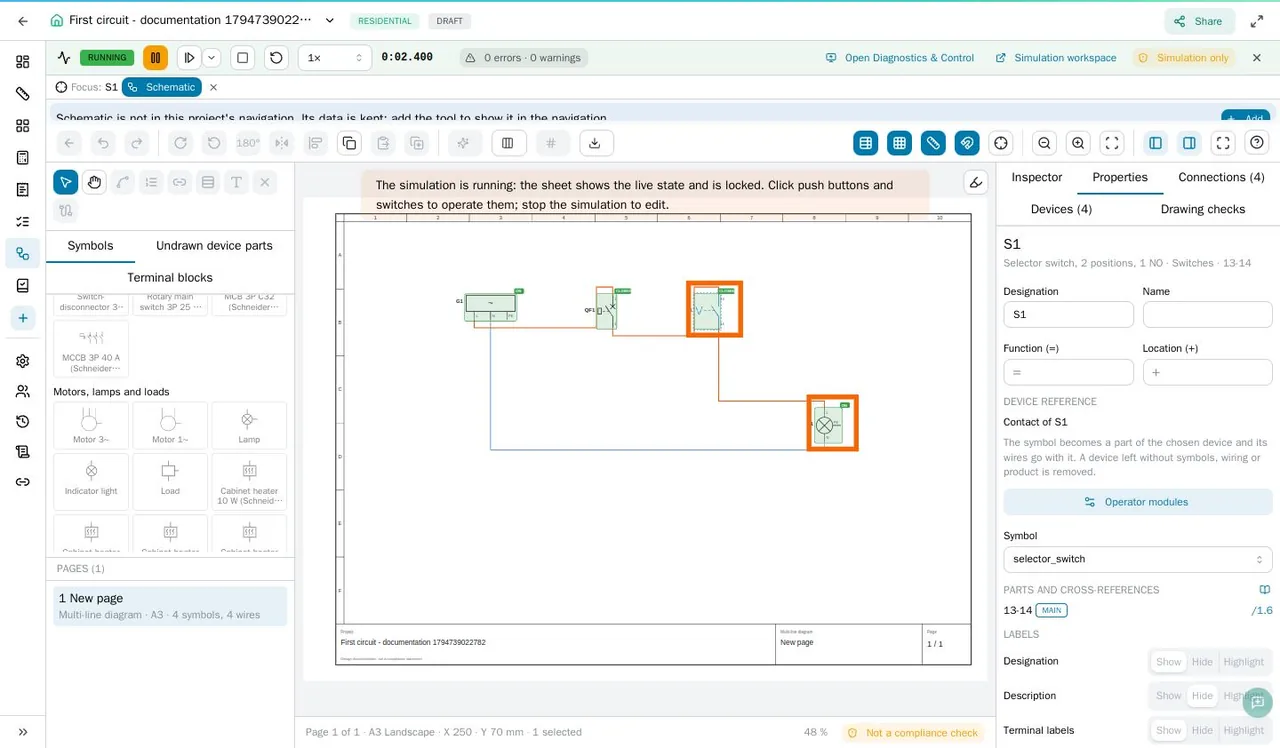
The guided tutorial walks through the supply, the 1-pole breaker, the selector switch, the lamp and the four wires, then starts the simulation so you can operate the switch and watch the lamp light. Devices placed in the building exist once: the same component appears in the schematic and the bill of materials.
About this clip. The schematic, the simulation and the floor-plan trace are real captures. The closing walk to the lit living room is a cinematic Blender rendering of the house used in the Streymalvi film. A working simulation is not an installation check: calculations and the regulation check are separate teaching aids, not compliance statements.

03 PLC programming
Program, Simulate, Solve
Write the program, run it against a simulated machine and see what your logic really does. A mistake shows up as behaviour, and so does the fix.
- Ladder, Function Block Diagram and Structured Text
- Sequential Function Charts in the Omega exercises
- Conveyors, sorters, wrappers and tanks in a 3D factory scene
- Simulated inputs only: nothing connects to real equipment
Explore Program, Simulate, Solve
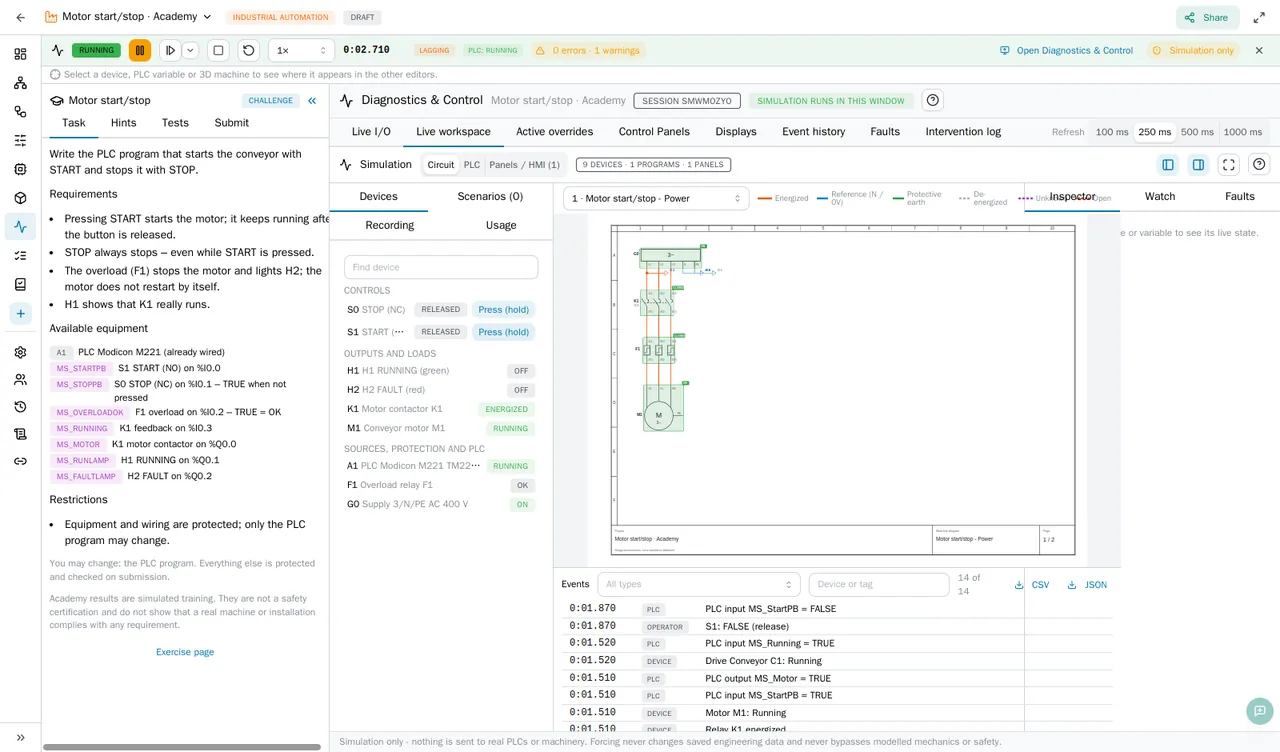
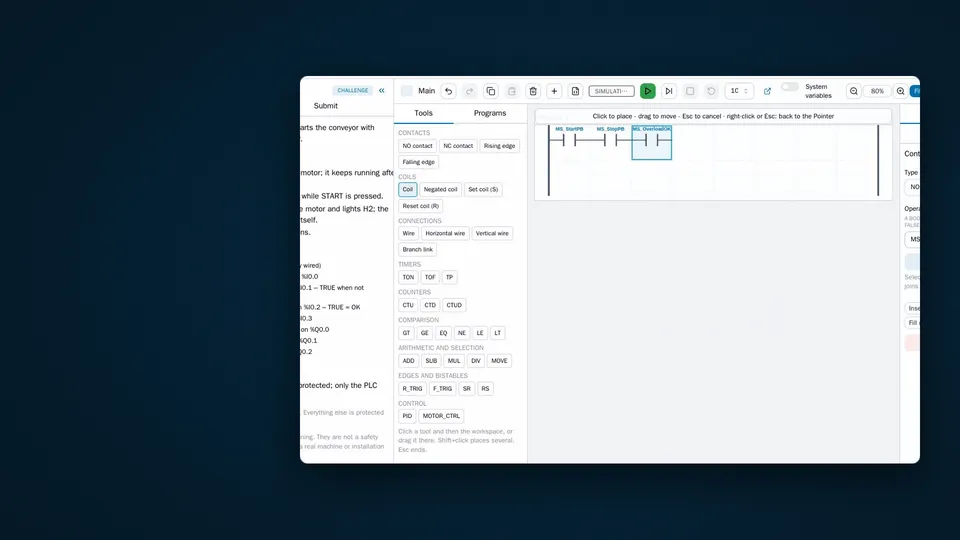
Exercises such as Find the fault: PLC input start from a program that looks correct and a machine that does not start; you find the cause with the I/O view and correct it. Later exercises inject faults on purpose: a jam, a contactor failure or an overload must stop the line safely and never restart it by itself.
About this clip. The opening ladder drawing is a real capture. The conveyor jam and its recovery are a cinematic Blender rendering of the conveyor line from the Streymalvi film, not a recording of the app's 3D view. The close-up of a contact changing from NO to NC uses the real ladder editor interface with a re-drawn canvas; changing a contact type is a real editor function.

04 Progression
Build Real Skills
From a first lamp circuit to an expert fault-recovery challenge, across beginner, intermediate and advanced levels.
- Industrial challenges: sorting lines, pallet wrappers, PID tank control
- Troubleshooting exercises with deliberate wiring faults
- Project checks and documentation that flag what is missing
- Scored for correctness, robustness, safety, efficiency and complexity
Explore Build Real Skills
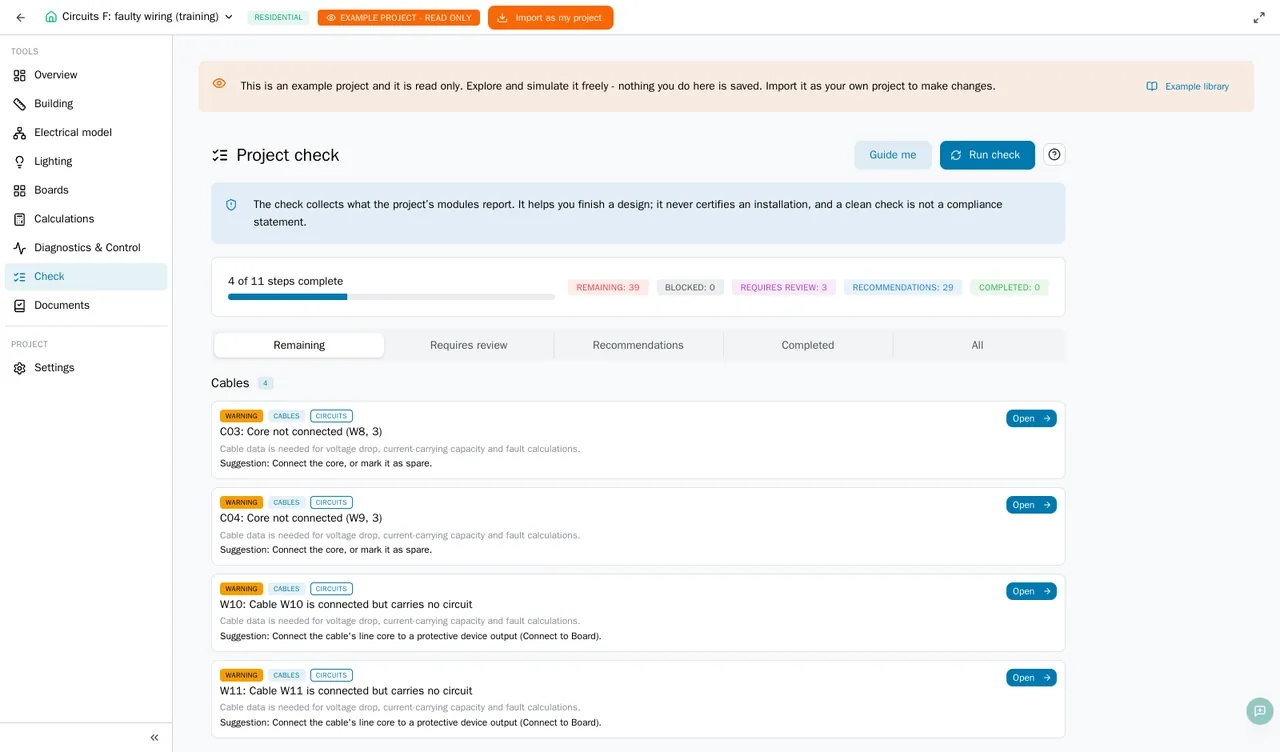
Submissions are assessed by the same simulation engine you practise with, using visible tests and hidden ones you only meet on submission. Teachers can turn their own projects into exercises for their organisation. The example library holds 50 projects in 10 galleries to explore and simulate.
About this clip. All app footage is real screen capture of the current development build; the closing Streymalvi mark was added in editing. Academy scores are training results, not certification, and a clean project check is not a compliance statement.
Coming soon Streymalvi Education is part of the platform in development.

Streymalvi Education
Coming soon.
Streymalvi is in development and not publicly released yet. Everything on this page is shown from the current development build.